

Blog
WhatsApp Ordering vs Checkout for UAE Online Stores: A 2026 Guide

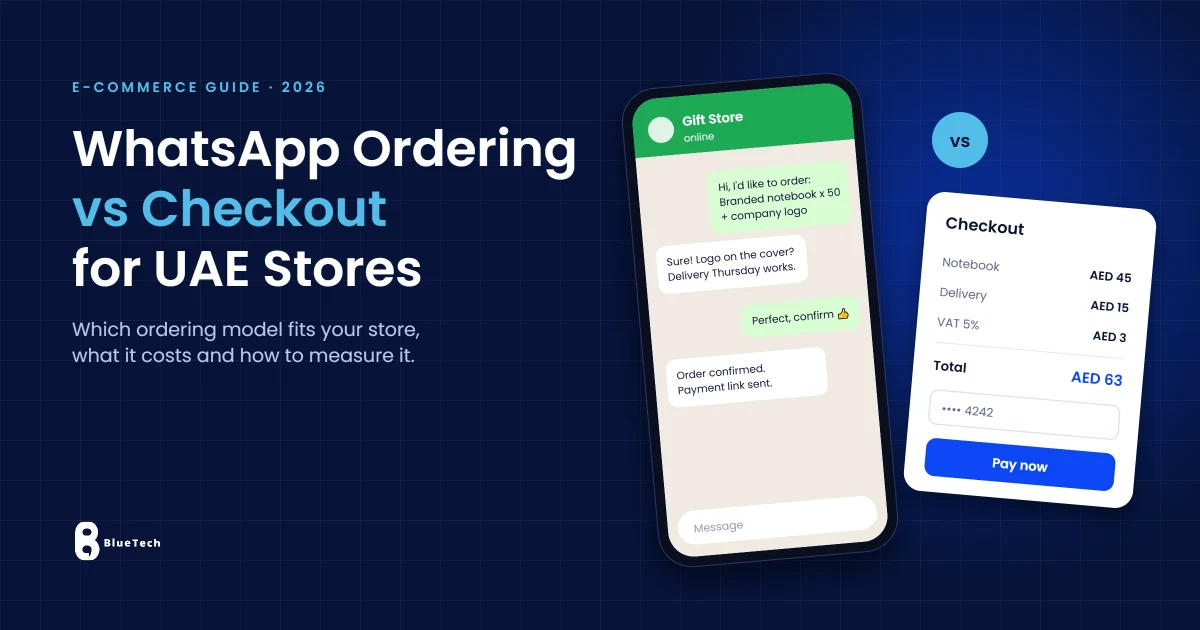
A customer finds the perfect product on your website, but before buying, they want to confirm a size, add a company logo or check a delivery date. Should your store send them through a standard checkout, or let them order through WhatsApp? The right answer depends on what you sell, how your team works and how you measure real orders.
This guide compares WhatsApp ordering and traditional e-commerce checkout for UAE businesses, explains the three practical ways to set them up and uses Blue Tech’s Gift Hub project in Dubai to show what a WhatsApp-first store can look like.
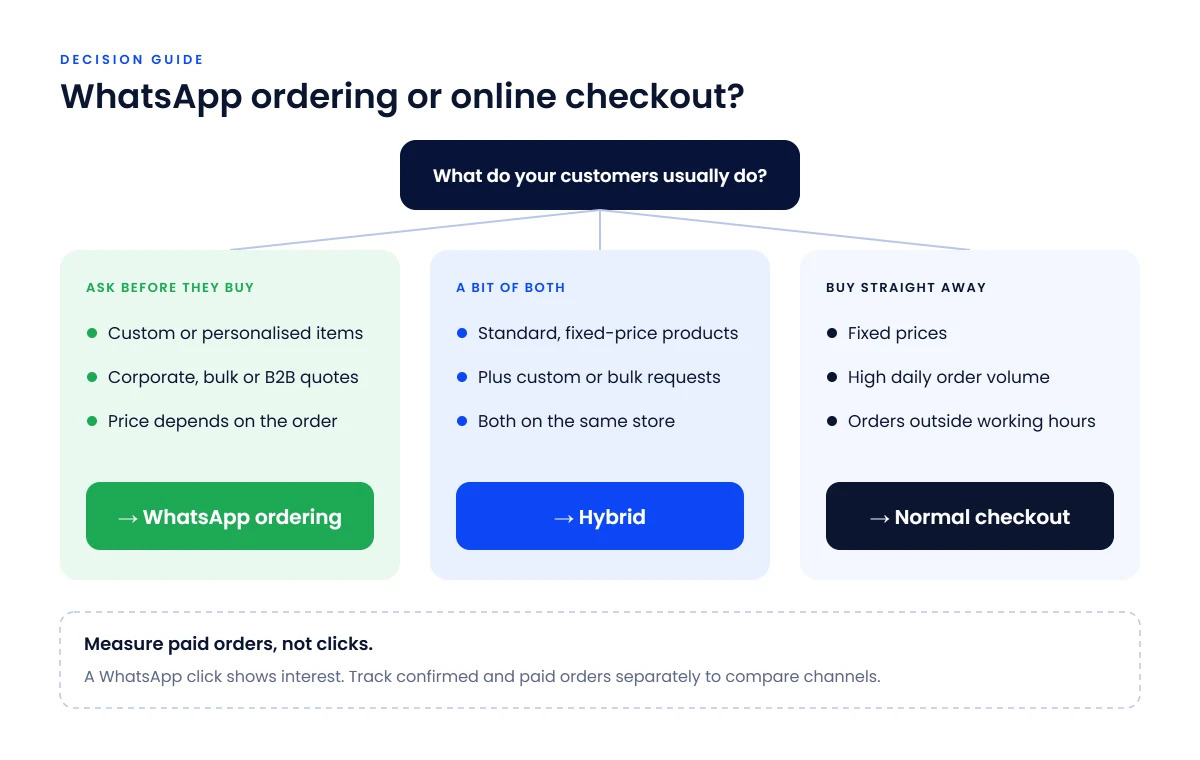
Quick answer: which ordering model fits your store?
| Your store primarily sells… | Recommended starting point |
|---|---|
| Personalised gifts or made-to-order items | WhatsApp ordering for discussing options |
| Corporate, wholesale or quote-based orders | WhatsApp or a request-a-quote flow |
| Standard products with fixed prices | Normal online checkout |
| A large catalogue with frequent orders | Checkout with automated order management |
| Both standard and customised products | Hybrid: checkout plus WhatsApp for special requests |
If customers usually ask a question before they buy, start with WhatsApp ordering. If they know what they want and the price is fixed, a checkout is faster for them and easier for your team. Neither channel increases sales on its own: response time, clear pricing, mobile usability and delivery all matter.
Why WhatsApp ordering matters in the UAE
WhatsApp is part of everyday life in the UAE. A 2026 industry report found that more than 80% of the population in the UAE and Saudi Arabia is active on WhatsApp (Communicate). Shopping is mobile too: smartphones accounted for 78.67% of UAE e-commerce orders in 2025 (Mordor Intelligence). For many buyers, sending a message from their phone feels more natural than filling in a checkout form.
For a UAE store selling corporate gifts, tailored clothing, event products or products with variable delivery dates, a conversation is often part of the purchase decision. Customers may need an accurate quotation before they can pay. WhatsApp lets a sales team handle those details without asking shoppers to navigate a long form.
The trade-off is operational. A chat gives the buyer a personal response, but a sales team must answer promptly, record the order, confirm payment and arrange delivery. If demand grows, a WhatsApp-only process can become slower and harder to manage than structured checkout.
For local buyers, make sure product prices are clear in AED where applicable, show delivery coverage and expected timing, and support Arabic and English where relevant to your customers. The best ordering channel cannot compensate for missing information.
Three practical ways to accept orders through WhatsApp
1. An “Order on WhatsApp” button on product pages
A button opens a WhatsApp conversation with a pre-filled message containing the product name and URL. Customers review the message and choose whether to send it. Your team then confirms options, stock, delivery and payment. This is often a sensible first step for made-to-order and price-on-request products.
A basic click-to-chat link does not require the WhatsApp Business Platform API. However, professional implementation, reliable pre-filled product data, analytics and testing can still involve development costs. A click also does not automatically create a WooCommerce order record.
2. Send a complete cart or quote request to WhatsApp
For multiple products, a store can prepare a message with items, quantities and selected options, then let the buyer submit it through WhatsApp. This works well for bulk or corporate requests, provided the cart data is accurate and the store has a process to confirm the final quotation.
A cart-to-WhatsApp flow is more involved than a single product link. The team must decide how to handle changing prices, stock availability, discounts, abandoned inquiries and order records.
3. Keep normal checkout and use WhatsApp for service and updates
Customers place and pay for standard orders on the website. WhatsApp can be offered for pre-sale questions, service or order updates. At greater scale, the store may integrate the WhatsApp Business Platform with its e-commerce platform or CRM, subject to message categories, permission rules and usage charges.
This hybrid model often protects fast self-service purchases while keeping a human conversation available for complicated requests.
When WhatsApp ordering can outperform checkout
- The product requires consultation: custom printing, engraving, branding, fit or detailed specifications.
- Pricing changes by quantity, location or project scope: corporate gifting and wholesale quotations are common examples.
- Customers need reassurance: a sales representative can answer relevant questions before purchase.
- The business is validating demand before investing in advanced automated purchasing workflows.
WhatsApp works best in these situations when the team responds quickly, keeps records and provides a clear next step to payment. If the chat takes hours to answer, the extra friction can cost orders.
When a normal checkout is the better choice
- Products have fixed prices and a straightforward purchase decision.
- Customers often buy outside business hours and expect immediate payment confirmation.
- Order volume is high enough that manual messaging would delay fulfilment.
- Inventory, discounts, delivery charges and tax calculations must be applied consistently at scale.
If you sell both types of products, do not force all visitors into a single channel. Put a normal “Add to cart” action on standard products and a visible “Request a quote on WhatsApp” option on customised or bulk products.
Real Dubai project: how Blue Tech built WhatsApp ordering for Gift Hub
Gift Hub is a Dubai-based gifting business offering corporate gifts, customised plush toys, eco-friendly items and toys. Many of its buyers order for companies, teams or events, where quantities, branding and delivery dates need discussion.
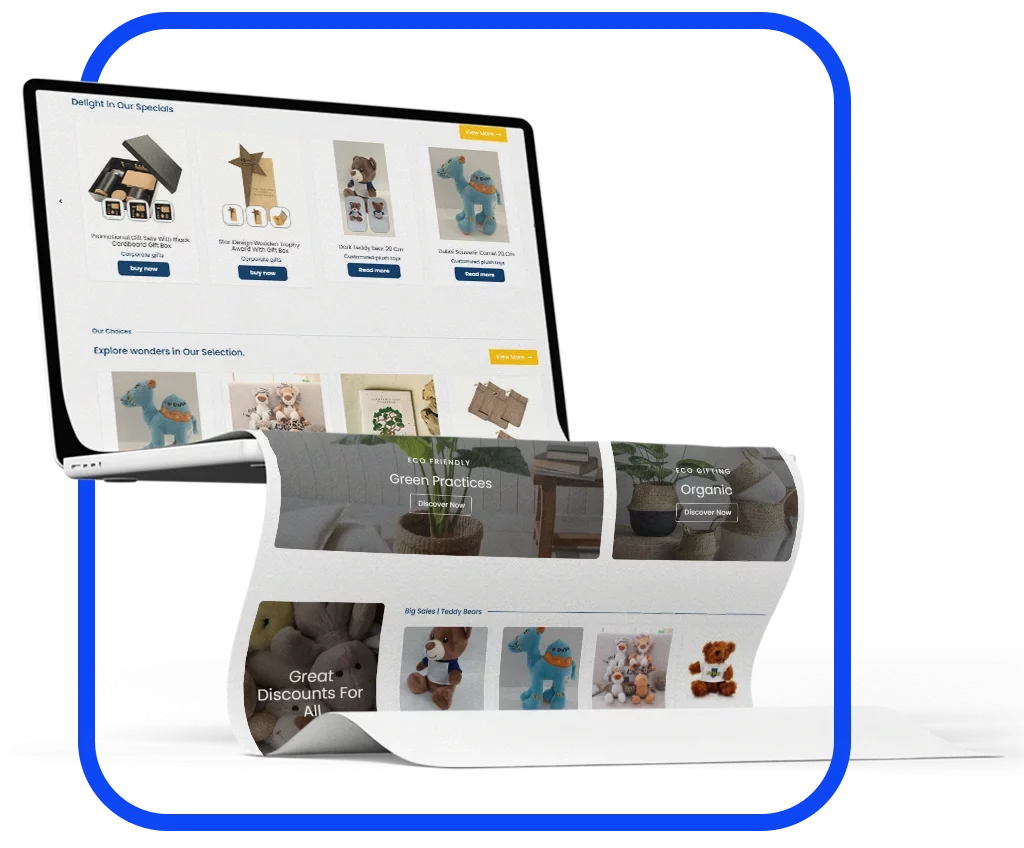
Blue Tech created its brand identity and a WordPress/WooCommerce online store with clear product collections. On product pages, a “Buy now” button opens WhatsApp with the product link already included, helping the Gift Hub team identify the item and discuss the order without asking the buyer to retype product details.
Blue Tech’s published case study reports more customer engagement and more orders following launch, without providing a numerical uplift. That is a project-reported outcome, not a guaranteed conversion result for other stores.
Explore the project: Gift Hub, WooCommerce store with WhatsApp ordering
How to set up WhatsApp ordering in WooCommerce
- Set up a dedicated WhatsApp Business profile with accurate hours, contact details and an agreed owner for customer replies.
- Choose which products use WhatsApp ordering and which retain ordinary checkout; avoid hiding prices unnecessarily.
- Build a product-specific message that includes the correct product name and URL, and selections or quantity when the implementation supports them.
- Test the button on iPhone, Android and desktop, including the fallback when the app is not installed.
- Track WhatsApp button clicks as their own analytics event, but do not count them as completed orders.
- Give the sales team reply targets, quotation templates, payment confirmation steps and a method to log orders in WooCommerce or a CRM.
- Publish a privacy notice that explains how customer information is used; obtain appropriate permission before sending promotional messages.
If you are using WhatsApp Business Platform templates or a provider integration, confirm the correct message category, approved templates where required, current pricing and opt-in requirements before switching the automation on.
WhatsApp clicks are not the same as paid sales
Tracking the “Order on WhatsApp” button helps measure interest. It does not tell you whether a customer sent the message, accepted a quote or paid. Treat the full sales journey as separate steps:
| Stage | What it tells you | Where to measure |
|---|---|---|
| Product-page visit | People considering an item | GA4 |
| WhatsApp button click | Interest in contacting the store | GA4 custom event |
| Qualified conversation | A genuine sales discussion | WhatsApp inbox / CRM |
| Confirmed order | Buyer and seller agreed the order | WooCommerce / CRM |
| Paid sale | Payment was actually received | Payment gateway / order records |
Illustrative example only: 500 product-page visits could result in 60 WhatsApp button clicks, 30 genuine conversations, 15 confirmed orders and 12 paid sales. In that case, counting all 60 clicks as orders would significantly overstate performance.
Compare revenue and operating effort, not just clicks. Useful measures include confirmed-order rate, paid-order rate, average order value, response time and the time your staff spends processing each order. If a paid order is recorded in an integrated system, use proper transaction-based purchase measurement rather than inferring a sale from a WhatsApp link click.
What does WhatsApp ordering cost in 2026?
| Solution | Platform or message cost | What else to budget for |
|---|---|---|
| Basic WhatsApp product link | No Meta API message fee for the link itself | Setup, product logic, tracking and staff time |
| WhatsApp Business app | Core business app is free to use | Human responses and order administration |
| WhatsApp Business Platform (API) | Meta per-delivered-message pricing varies by category and market | Provider fees, integration, templates, CRM and support |
| Normal online checkout | Payment processor / gateway fees depend on provider | Store setup, payment, hosting and maintenance |
Important 2026 update: WhatsApp Business Platform pricing changed on 1 October 2026. According to Meta’s pricing documentation, each business phone number receives 1,000 free service messages per month; after that, service messages are charged, and utility templates are chargeable even when sent inside the customer service window. Marketing and authentication messages have their own rates, which vary by recipient market and may change. Check the current rate card and your provider’s fees before budgeting a campaign or automation.
Check current fees: WhatsApp Business Platform pricing (Meta) (may require a Meta developer login) and respond.io’s summary of the October 2026 changes.
When should you move from the free app to an automated ordering system?
The trigger is not a single number of daily messages. Consider an integrated system when customers wait too long for a reply, orders get lost in conversations, your team repeats the same price and delivery answers, or sales staff cannot tell which chats resulted in paid orders.
A suitable next stage could combine WooCommerce orders, a shared inbox, approved WhatsApp messaging, staff assignment, inventory checks and CRM reporting. Design the workflow first. Automation adds software and message costs and should only be implemented where it removes a meaningful operational problem. If you are deciding between platforms, our guide to WordPress vs custom development explains the trade-offs.
UAE-specific points to check before launching
- Licensing: selling online or through messages still requires the appropriate UAE trade licence and permitted activity; confirm your emirate and licensing authority requirements.
- Checkout clarity: show pricing, delivery fees, return and exchange information and payment instructions before the final order is confirmed.
- Privacy and consent: do not send marketing messages merely because someone contacted your store for an order; handle personal data according to applicable rules.
- Arabic and English: ensure customer-facing product information and order messages work for the languages your buyers actually use.
Frequently asked questions
Can an online store in the UAE sell through WhatsApp without checkout?
A store can accept orders through WhatsApp, but the business still needs the appropriate licence and a reliable process for confirming orders, payment, fulfilment and customer records. A messaging channel does not remove those obligations.
Is an “Order on WhatsApp” button free?
The basic WhatsApp link has no API message charge. Building and maintaining a reliable WooCommerce integration, order tracking and custom cart behaviour may still involve developer or plugin costs.
Does WhatsApp ordering hurt my store’s SEO?
Not by itself. Search visibility depends on the quality and accessibility of your product and category pages, technical setup and useful content. WhatsApp changes the purchase journey, not whether product pages can be indexed.
Can I keep both checkout and WhatsApp ordering?
Yes. A hybrid setup can use checkout for fixed-price products and WhatsApp for custom, wholesale or quote-based requests.
Can Shopify also use WhatsApp ordering?
Yes, depending on the app or custom integration. The main decisions remain product data accuracy, user experience, tracking and order recording.
How do I know which channel makes more money?
Track completed, paid orders and order values separately from messaging clicks. Compare the paid sales, average order value, customer response time and staff workload of each flow.
Not sure whether your store needs WhatsApp ordering or a full checkout?
Tell Blue Tech what you sell, whether products require custom quotations and how your team handles orders today. We will recommend a suitable WooCommerce, Shopify or custom e-commerce flow, and explain what would be required to launch and measure it.
Explore: Blue Tech e-commerce development · Related solutions: E-Commerce & Retail · Reference: UAE government eCommerce requirements


